
How to Choose a Resume Template (and Build It in Ezlun)
 Ezlun Team7 min read
How to choose a resume template: pick it based on three things: the industry you're applying to, how many years of experience you have, and whether your resume has to pass through screening software. The best-looking template isn't necessarily the best one. A good template is the one that lets a recruiter see your strengths fastest.
This guide goes through each factor, then shows you how to choose, switch and download a template with Ezlun's CV Builder.
What makes a good resume template?
A good template does three jobs: it puts the important information first, it's easy to skim, and it keeps its layout when someone opens it on another device.
Check any template against this list:
Logical order: name and contact details at the top, then summary, experience, education and skills. Recent graduates can put education before experience.
Readable type and enough white space: recruiters skim the first few seconds, and crowded text gets skipped.
Clear section headings: "Work Experience", "Education" and "Skills" beat creative headings nobody understands.
Restrained color: one accent color is enough. Use it for headings or dividers, not whole paragraphs.
A PDF that doesn't break: open the exported PDF on another computer or a phone and the layout should hold.
Choosing a template by industry
Each industry reads resumes a little differently. The table below is a general guide; the actual job post always has the final word.
Industry | Template style that works | What to avoid |
|---|---|---|
Sales, business development | One column, with numbers up front (revenue, close rate) | Percentage skill bars with nothing behind them |
Marketing, communications | A clean two-column layout with room for portfolio or case study links | Too many colors and icons diluting the content |
Design, creative roles | A modern template with personality, but with real, selectable text | Turning the whole resume into one image that software can't read |
IT, data | Two columns with sections for projects, technical skills and a GitHub link | Listing dozens of technologies that aren't tied to any project |
Admin, accounting, finance | One column, formal, easy to print | Fancy layouts and decorative fonts |
Students, recent graduates | Education, activities and course projects placed high | Leaving experience empty instead of listing internships and activities |
If you're a student, how to write a CV for fresh graduates with no experience has examples for each section.
One page or two?
With less than about three years of experience, keep your resume to one page. Once you have several roles and substantial projects, two pages is fine, as long as page two still earns its place.
A quick way to decide:
Write everything first, without worrying about length.
Remove experience that isn't relevant to the role you're applying for.
Cut each role down to 3-5 bullets, keeping the ones with results.
If you still spill a few lines onto page two, try a more compact template or tighten the spacing between sections, instead of shrinking the font.
What if a template looks great but ATS can't read it?
Many companies use an applicant tracking system (ATS) to read and sort resumes. It reads text; it doesn't "see" layout the way a person does. The more complex the template, the higher the risk of a misread.
Details that often trip up screening software:
Text inside images, charts or icons.
Nested tables and overlapping text boxes.
Contact details placed in the header of a Word file.
Unusual section names, so the software can't tell experience from education.
When you apply through a large company's careers portal, choose a simple one- or two-column template. When you email a recruiter directly, you can use something with more personality. What is ATS and how to write an ATS-friendly resume explains how these systems work in more detail.
How to choose and switch templates in Ezlun's CV Builder
The CV Builder has 23 templates, grouped as Simple, Professional, Modern, 1 column, 2 columns and ATS. You can switch template at any time without retyping anything.
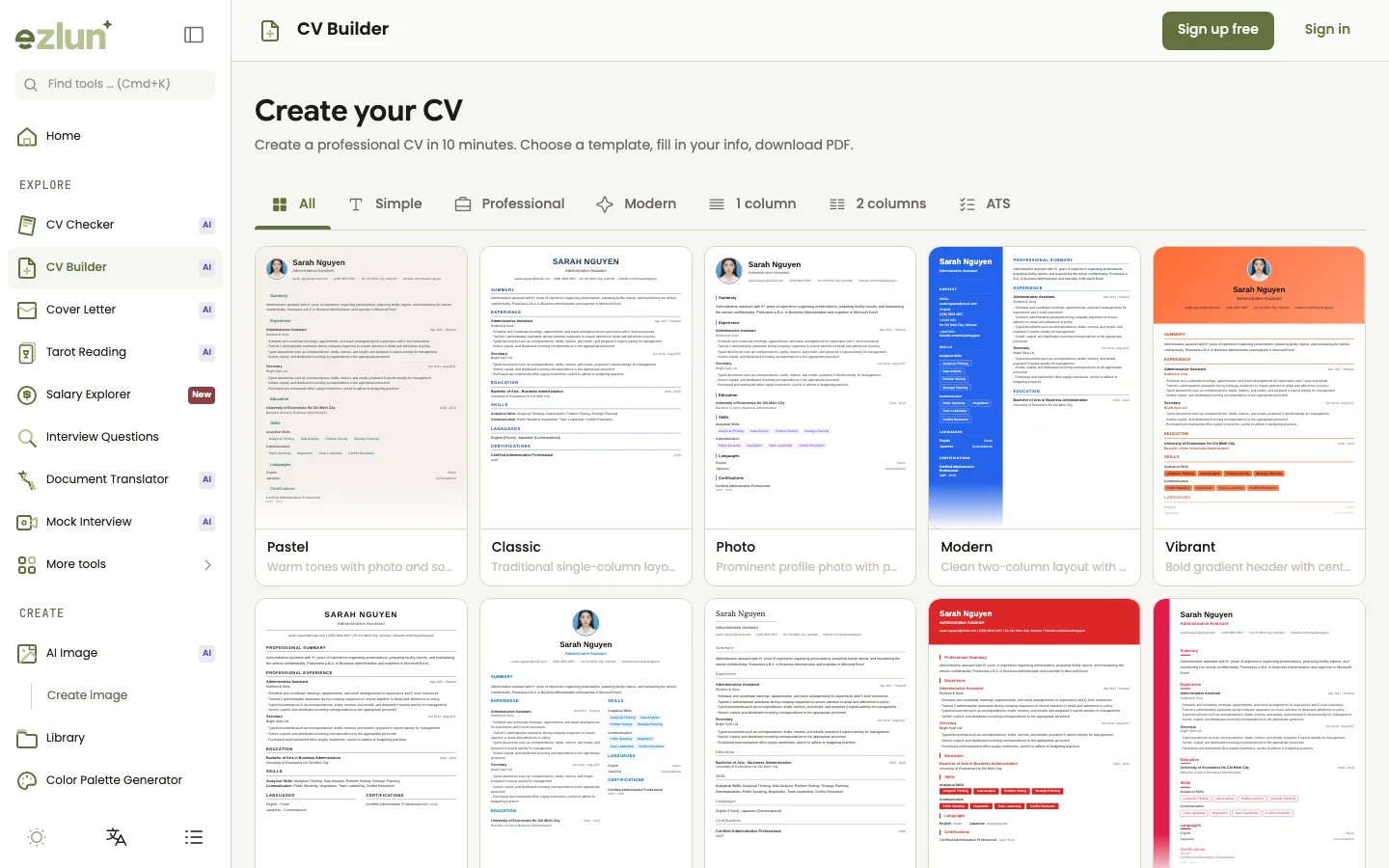
The template gallery: use the filters at the top to narrow the list.
Open the tool at ezlun.com/en/tools/cv-builder and sign in. Your resume saves to your account automatically, so you can come back to it later.
Filter by what you need: "ATS" if you're applying through a portal, "1 column" for a formal resume, "2 columns" if you want a separate column for skills.
Click "Use template" to open the editor.
Fill in each tab: Personal, Experience, Education, Certificates, Skills and Languages. If you already have a resume, upload it as PDF, DOC, DOCX or TXT (up to 10MB) and let the AI fill in the fields.
Switch templates whenever you like from the template picker inside the editor. All your content stays; if you picked a custom accent color, that stays too.
Run the "ATS Check" tab to see whether your content covers what screening software usually looks for.
Download your resume as a PDF once you're happy with the preview.
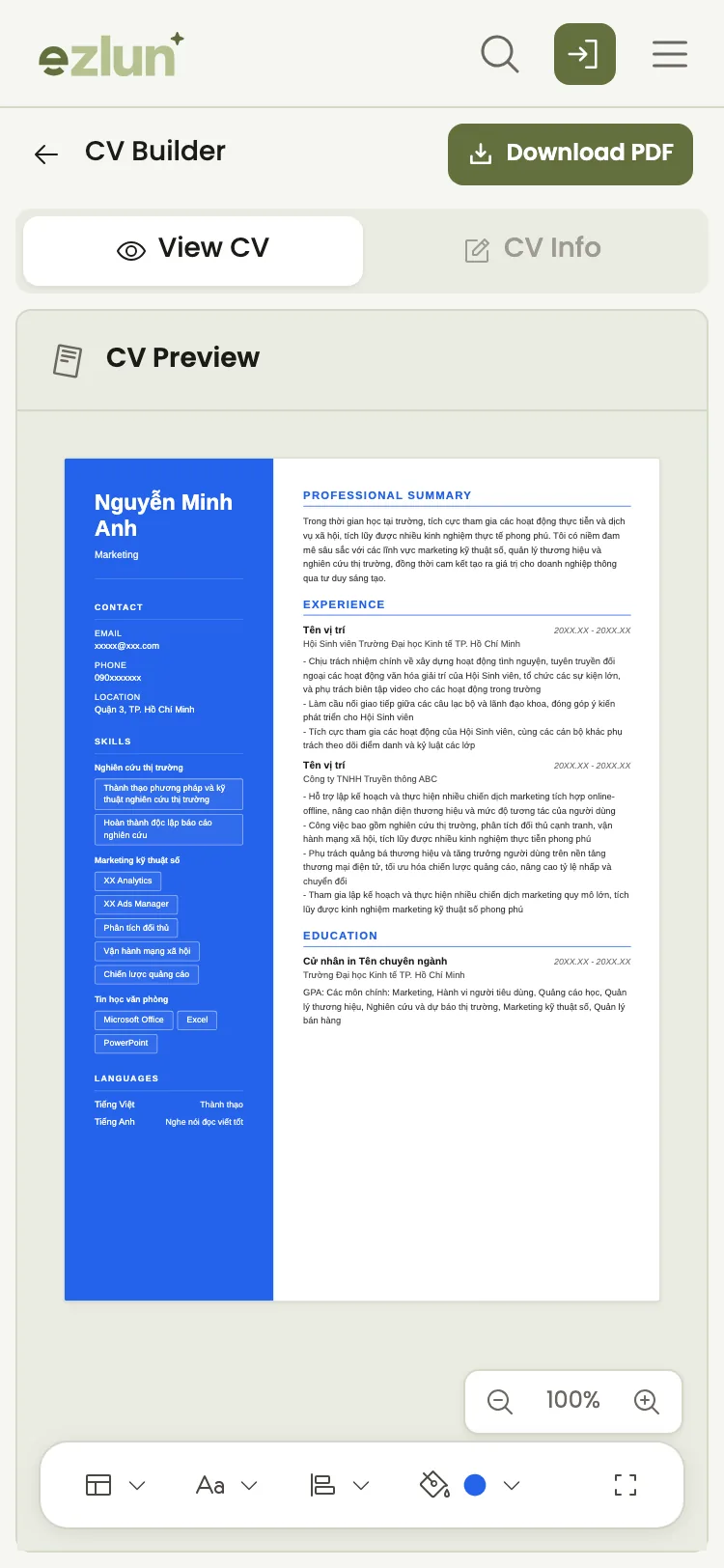
On a phone, you can still preview the resume after each template switch.
Try switching templates on a sample resume right here, no sign-in needed:
CV Builder
Pick a template to see the same sample CV change its look. This demo does not save or download anything.
After you choose a template: check the content
The right template is only half the job. The other half is content: results with numbers, keywords that match the job description, and no typos.
Before you apply, do two more things:
Get a second reader on the content. How to check your resume before applying shows you how to score your resume against your field's criteria and the JD.
Prepare the full application. The job application documents checklist covers your resume, cover letter and supporting documents.
If you want your resume, profile photo and online presence to share one look, see personal branding for job seekers. For help with what to write in each section, read the AI CV writing guide.
What the tool can't do
A template can't replace content. A resume that's weak on results is still weak in a beautiful template.
AI suggestions need your judgment. Keep everything true. Don't add skills or numbers you don't have.
The ATS check is an estimate. Every company uses different software and settings, so a good result doesn't guarantee you'll be shortlisted.
Importing an old resume can miss or misread things. Complex layouts are harder for the AI to read, so review each section after importing.
Frequently asked questions
Should I use a colorful, multi-column template?
You can, if you're sending it straight to a recruiter in a creative field. For careers portals, or traditional fields such as finance and administration, one accent color and a simple layout are safer.
Is a one-page or two-page resume better?
One page if you have less than about three years of experience. Two pages are fine for longer careers, as long as everything on page two is relevant to the role.
What is an ATS-friendly resume template?
One that screening software can read reliably: real text rather than images, clear standard section headings, and no nested tables or text boxes. In Ezlun, the ATS filter shows six such templates: Executive, Classic, Compact, Minimal, Harvard and Nordic.
Will I lose my content if I switch templates?
No. Switching templates in the editor keeps all your content. A custom accent color is kept too; if you're on the default color, it changes to match the new template.
What format can I download, and does it cost anything?
The CV Builder exports a PDF. Each download uses 7 credits, and you get 15 free credits every day. Editing and previewing are free. You need to sign in to choose a template and start editing.
Summary
To choose the right resume template, consider your industry, your experience level and how you're applying (through screening software or directly to a person). Favor a readable layout, one accent color and real text, then spend your time on the content.
If you've just graduated, the fresh graduate job checklist for Vietnam walks through the whole application, from your first resume to the interview.
You can start with Ezlun's CV Builder: 23 templates, switch without losing content, and an ATS check built into the editor.


